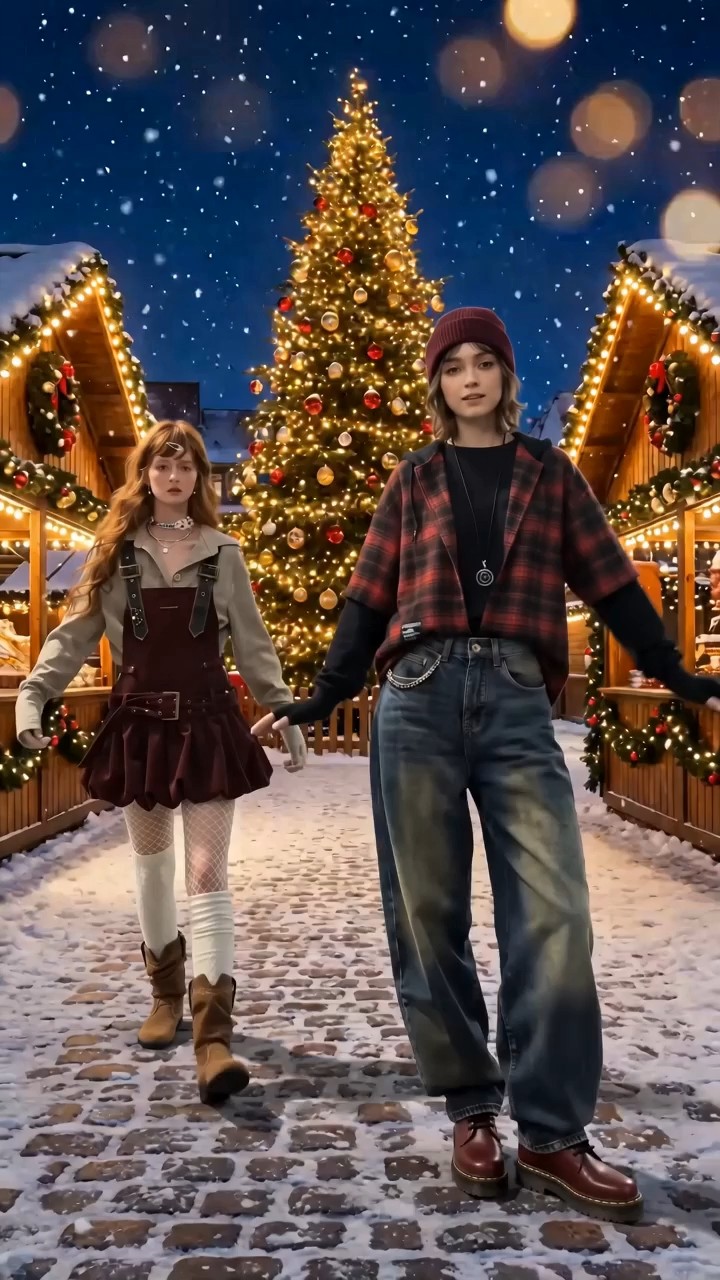
An example made with this template. Yours uses your photos.
Christmas Dance Trend AI Video Generator
Turn two photos into a 14-second Christmas duo dance video that keeps the original music and your outfits — vertical 9:16 by default, or choose 1:1 or 16:9.
- Photos
- 2
- Credits
- from 10
- Category
- holiday
Make your video
Sign in with Google to generate.
- Upload one person per photo; each dancer keeps the face, hairstyle, and visible outfit from their photo.
- Photo 1 starts on the left and Photo 2 starts on the right.
- Use JPEG, PNG, or WebP files; your browser compresses them before upload.
- Only upload adults (18+) you have permission to feature, and never celebrities.
How to make it
- Upload two single-person photos: the left-side starter first, then the right-side starter.
- Pick your quality (from 10 credits) and aspect ratio (vertical 9:16 by default, or choose 1:1 or 16:9), generate your 14-second clip, and wait a few minutes.
- Download your finished clip from My Videos and share it as is or add a trending sound.
About the Christmas Dance trend
Christmas Dance Trend turns two individual photos into a 14-second holiday duo dance video — vertical 9:16 by default (best for TikTok, Reels, and Shorts), or choose 1:1 or 16:9. Your first upload is assigned to the dancer who starts on the left, and your second upload is assigned to the dancer who starts on the right. As both dancers follow the built-in choreography, each person keeps their face, hairstyle, and visible outfit from the photo you uploaded. The template also keeps the original music, so your finished 14-second clip comes out ready to watch and share.
To create your video, sign in with Google, pick up a credit pack on /pricing, and upload two JPEG, PNG, or WebP photos. Each generation costs from 10 credits — Standard 480p 10, HD 720p 20, Full HD 1080p 50 — aspect ratio does not change the price, credits never expire, and there is no free trial. Your photos are compressed directly in your browser and deleted within 24 hours. Processing usually takes a few minutes, after which the video appears on My Videos ready to download. If generation fails, the credits for that video are refunded automatically.
Make sure you have the right to use both photos. Upload adults (18+) only, and do not upload celebrities.
Tips for a better result
- Upload one clear person per photo so both dancers stay sharp and distinct.
- Choose photos where each person's face, hairstyle, and outfit are clearly visible, since each person keeps the outfit from their own photo.
- Verify placement before generating: Photo 1 starts on the left and Photo 2 starts on the right.
- Avoid group pictures, blurry crops, or heavy shadows across faces.
Questions
How many credits does Christmas Dance Trend cost?
Each 14-second Christmas Dance Trend video costs from 10 credits — Standard 480p 10, HD 720p 20, Full HD 1080p 50. Aspect ratio does not change the price. Sign in with Google and buy a credit pack on /pricing. Credits never expire, and there is no free trial.
Which quality should I choose?
Standard (480p, 10 credits) is fine for phone viewing. HD (720p, 20 credits) and Full HD (1080p, 50 credits) look sharper on large screens and cost more.
What if my video generation fails?
If a run fails, the credits for that video are refunded automatically so you are never charged for a failed clip.
Does it include the original music?
Yes. This template follows the built-in 14-second choreography and keeps the original music in the generated video.
How do I post with the trending sound on TikTok?
You can post the downloaded video with its built-in audio, or if you want to link it to a trending TikTok sound, upload the video, tap "Add sound", and pick the trend's sound.
Are my uploaded photos stored?
Only briefly. Photos are compressed in your browser, used only to make your video, and deleted within 24 hours.
How long is the finished video and how long does it take?
The video is always 14 seconds long, rendered in vertical 9:16 by default, or choose 1:1 or 16:9. Generation usually takes a few minutes, then the clip appears on My Videos for download.